
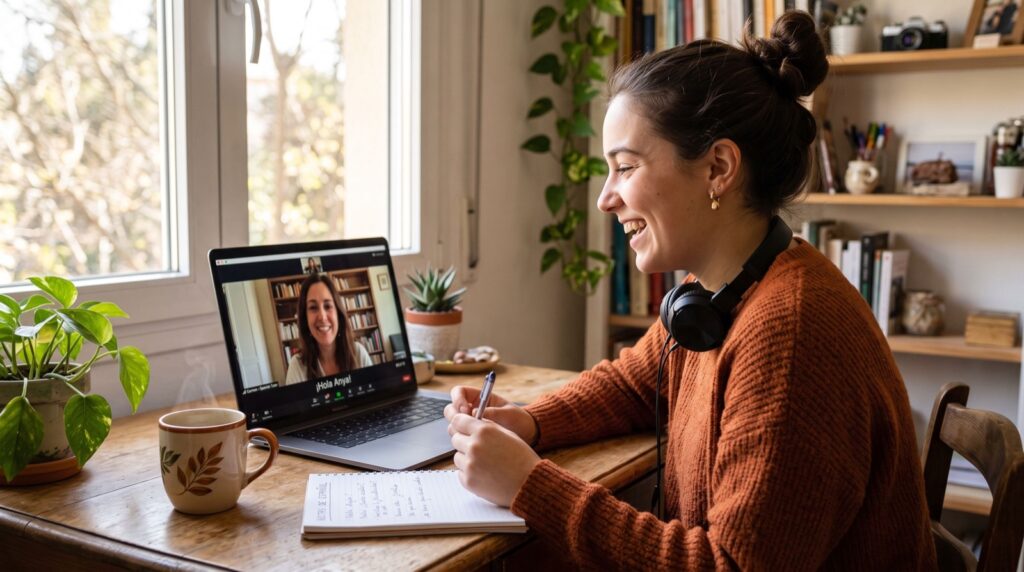
Online Tutors in Islamabad: The 2026 Home Setup Guide
Hiring good online tutors in Islamabad solves only half the problem. The other half is the technology sitting between your student and the lesson: a weak internet connection, a laggy laptop camera, or a noisy room can undo even the best tutor’s teaching in minutes. In 2026, with most households juggling multiple devices on the same connection, getting the home tech setup right is just as important as picking the right teacher.
This guide covers both sides of the equation — what to look for in a tutoring provider, and the simple home technology checklist that makes every session actually productive.
Why Home Tech Setup Quietly Determines Tutoring Success
A tutor can only teach as well as the connection allows. Frozen video, dropped audio, and constant “can you repeat that” moments eat into lesson time and frustrate both student and teacher. Parents often blame the tutor or platform when the real issue is a router placed too far from the study room, or three other household devices streaming video during the same hour.
Fixing this doesn’t require an expensive upgrade. In most homes, a few small changes — relocating the router, closing bandwidth-heavy background apps, and using a wired connection where possible — resolve the majority of call quality complaints reported by families using online tutors in Islamabad for daily lessons.
The Home Tech Checklist Before Your First Session
Run through this list before the first lesson, and again any time call quality drops unexpectedly:
- Internet speed: At least 10 Mbps download/upload for smooth video calls; test it rather than assume your package delivers the advertised speed.
- Device placement: Position the laptop or tablet so the tutor can see the student’s face and any written work clearly, with good front lighting.
- Headset over speakers: A basic headset eliminates echo and background noise far better than built-in laptop speakers and microphones.
- Backup device ready: Keep a phone or second device nearby in case the primary one freezes mid-lesson.
- Quiet, consistent study space: The same desk or room every session helps younger students settle into a learning routine faster.
Pakistan’s telecom regulator, the Pakistan Telecommunication Authority, publishes broadband speed benchmarks that are a useful reference point if you’re unsure whether your home package is actually sufficient for video-based tutoring.
What to Look for When Choosing a Tutoring Provider
Beyond the tech side, the provider itself needs to meet a few basic standards before you commit to a term of lessons:
- A platform with a stable, purpose-built video classroom rather than relying only on generic consumer video-call apps.
- Interactive tools such as a shared whiteboard or document annotation, especially for maths and language subjects.
- Recorded session access, so a student can review a lesson afterward if something wasn’t clear.
- Named, verifiable tutors with relevant subject and exam-board experience.
How Do You Choose the Right Online Tutor in Islamabad?
Start with a trial lesson and judge it on three things: did the tutor adapt to your child’s actual level rather than following a generic script, was the technology stable throughout, and did you receive any kind of progress note afterward. A provider that handles all three well is worth paying a premium for over a cheaper option that struggles with any one of them.
It also helps to ask how the provider handles technical issues during a live session — do they have a backup communication channel, and is lost time rescheduled or simply lost. Reputable online tutors in Islamabad will have a clear answer to this rather than treating it as an edge case they haven’t considered.
Comparing Connection Types for Reliable Tutoring Sessions
| Connection Type | Stability | Typical Speed | Best For |
|---|---|---|---|
| Fibre broadband | Very high | 20-100+ Mbps | Daily video tutoring, multiple household devices |
| DSL/copper broadband | Moderate | 5-20 Mbps | Single-device households, light use |
| 4G/5G mobile hotspot | Variable | Depends on signal | Backup connection, not primary use |
| Shared WiFi (many devices) | Low during peak hours | Reduced per device | Avoid during lesson times |
Language Learning Needs a Slightly Different Setup
Students using learn languages online services need clear two-way audio even more than other subjects, since pronunciation correction depends on the tutor hearing subtle sound differences accurately. A cheap microphone that distorts or clips audio can make a tutor misjudge a student’s pronunciation as worse than it actually is, leading to unnecessary repeated drilling on sounds the student had already mastered.
If your household regularly experiences audio lag or distortion, prioritise fixing that before assuming the tutoring quality itself is the problem.
Working With a Team That Understands Both Sides
Just as a business looking for digital growth benefits from working with an experienced local team that understands both strategy and local execution, families get the best tutoring results from providers who understand both teaching methodology and the practical tech realities of homes in Islamabad. A tutor who can troubleshoot a basic connection issue in the first minute of a lesson, rather than wasting ten minutes confused, saves real learning time over a school term.
A Quick Monthly Maintenance Habit
Once a month, restart the router, run a fresh speed test, and check for any firmware updates through the provider’s app. This five-minute habit catches the slow connection creep that happens as more smart devices join a home network over time, and it’s far cheaper than troubleshooting mid-lesson when a tutor is already waiting on the call.
It’s also worth keeping a simple written note of which times of day your household connection is busiest, so lessons can be scheduled around peak usage rather than competing with it. Families who do this small bit of planning in 2026 report noticeably fewer interrupted sessions than those who book lessons at whatever time happens to be convenient on the calendar.
Frequently Asked Questions
How much internet speed do I actually need for online tutoring?
A stable 10 Mbps connection is generally sufficient for one-on-one video tutoring with screen sharing. Households running multiple video calls or streams simultaneously should aim higher, closer to 25-50 Mbps, to avoid competing for bandwidth during lesson times.
What should I do if video keeps freezing during a tutoring session?
Switch to a wired ethernet connection if possible, close other bandwidth-heavy apps, and ask the tutor to temporarily switch to audio-only if the issue persists, since audio typically stays stable even when video struggles.
Do online tutors in Islamabad offer in-person backup sessions?
Many established providers do, particularly for exam preparation, allowing students to combine the convenience of regular online sessions with occasional face-to-face review before major tests.
Is a tablet good enough, or do I need a laptop for online tutoring?
A tablet works fine for most subjects, but a laptop with a larger screen and physical keyboard is generally better for subjects requiring written work, typing, or detailed document annotation during the lesson.
Final Thoughts
Getting real value from online tutors in Islamabad depends on two things working together: a tutor who adapts to your child’s level, and a home tech setup reliable enough that lessons aren’t interrupted every few minutes. Run through the checklist above before your next session, test your connection honestly, and book a trial lesson to confirm both the teaching and the technology hold up under normal conditions.